Email Not Working? Check Your Disk Space

What’s Happening
Email delivery or forwarding fails when your hosting account runs out of disk space. The mail system can’t write new messages or process forwarding until you free up storage.
Common Signs
You may see a server error when trying to access or manage email, or forwarded mail may stop arriving at an external mailbox such as Gmail. In affected cases, the underlying problem is not the external mailbox provider but the hosting account running out of storage.
- A 500 Internal Server Error appears in the hosting control panel or webmail
- Emails to the mailbox bounce back or fail to be delivered
- Bounce messages report that the mailbox is full or that the account has exceeded its disk or file usage limit
- Mail forwarding does not complete because the source mailbox cannot accept or process mail normally
Example error messages:

500 Internal Server Error
Mailbox is full
Blocks limit exceeded
Inode limit exceeded
Fix It
- Log in to your hosting control panel.
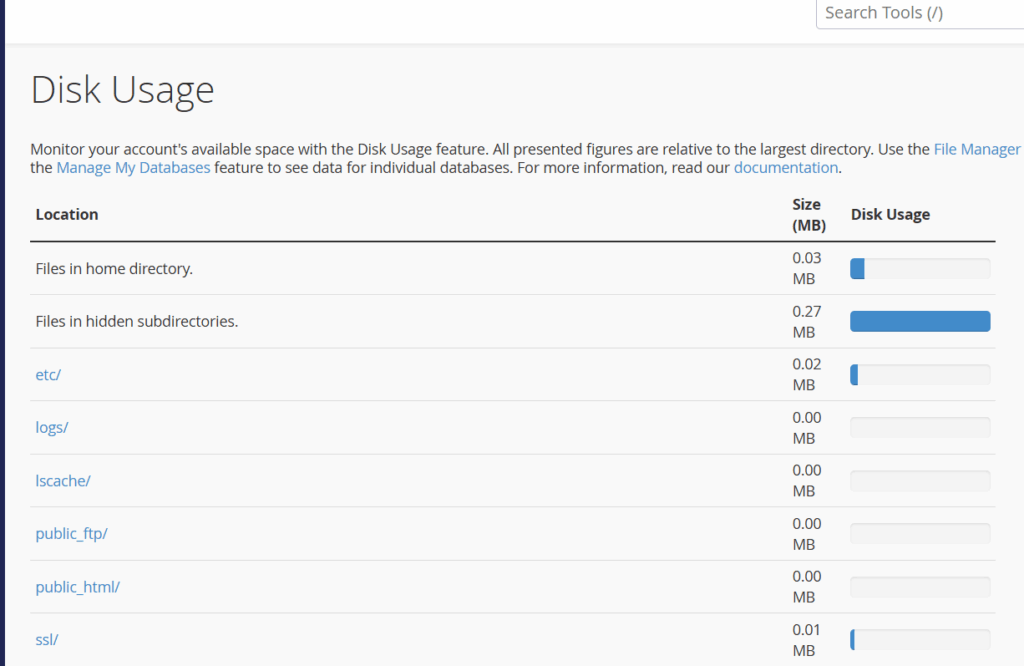
- Open the Disk Usage section to identify which folders are using the most space.
- Review the account contents and remove any files you no longer need. This may include old website backups, unused media files, archive files, or redundant email data.
- If needed, use File Manager to delete unnecessary files and folders.
- Empty any trash or deleted items areas so the space is actually released.
- Once enough space has been freed, test email delivery or forwarding again.
Still stuck? Contact Freethought support via www.freethought.uk/contact/ and ask for a review of the account’s disk usage. A temporary quota increase may be offered a temporary increase to help restore service briefly while you clean up, but the real fix is staying within your normal storage limit.