Calendar Syncing with cPanel Webmail (CalDAV)

cPanel’s webmail (Roundcube) support CalDAV for syncing calendar with external services such as Apple Calendar, or mobile devices. However, there are limitations when using Google Calendar.
What Is CalDAV?
CalDAV allows calendar apps to read and write events stored on a remote server. It enables:
- Two‑way syncing of events
- Access from multiple devices
- Integration with desktop and mobile calendar apps
Finding Your CalDAV URL in Roundcube
- Log in to cPanel → Email Accounts → Check Email
- Open Roundcube
- Click Calendar in the left menu
- Select the calendar you want to sync
- Click on three dots and select the CalDAV URL . Alternatively you can view this from the Webmail home (Calender and Contact Configuration).
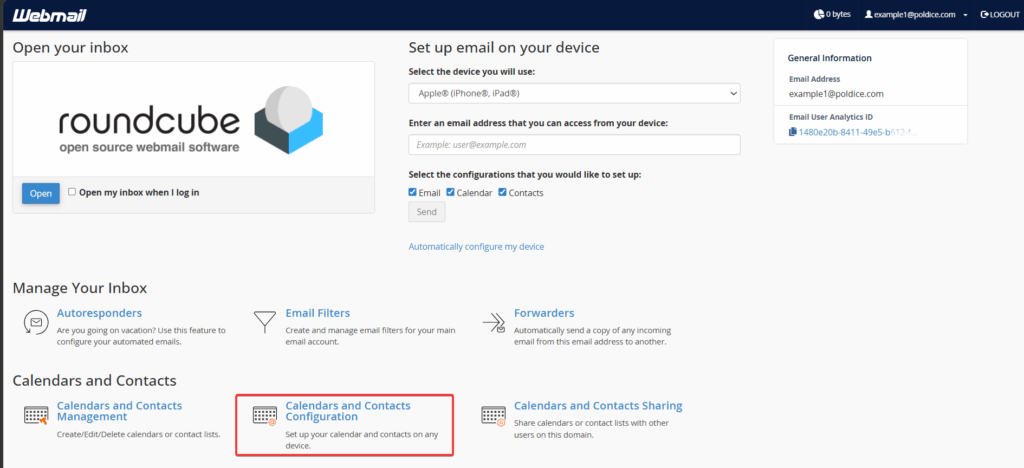
This URL is what you’ll enter into your external calendar app.
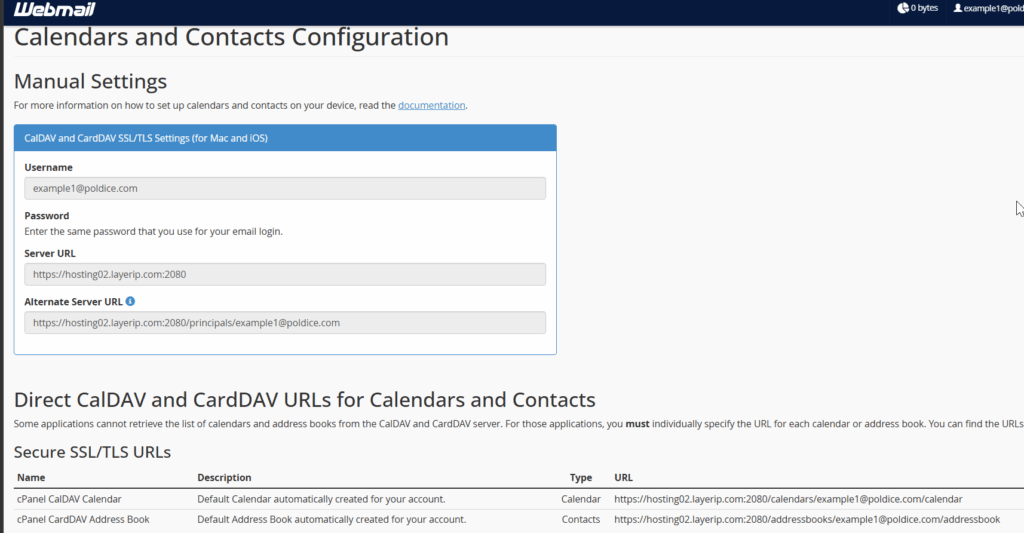
Syncing Your cPanel Webmail Calendar with External Apps
Apple Calendar (macOS / iPhone / iPad)
Apple devices have excellent CalDAV support.
macOS
- Open Calendar
- Go to Calendar → Accounts → Add Account
- Choose Other CalDAV Account
- Select Manual
- Enter:
- Username: your full email address
- Password: your email password
- Server address: your Roundcube CalDAV URL
iPhone / iPad
- Open Settings → Calendar → Accounts → Add Account
- Tap Other → Add CalDAV Account
- Enter the same details as above
Syncing is typically instant and two‑way.
Thunderbird
- Open Thunderbird
- Go to Calendar
- Click New Calendar
- Choose On the Network
- Enter the Email address as username
- Paste your Roundcube CalDAV URL
- Enter your email login password when prompted
Android Devices
Android does not include CalDAV support by default. You can add it using:
- DAVx⁵ (open source, widely used)
Once installed:
- Add a new CalDAV account
- Enter your Roundcube CalDAV URL
- Enter your email address and password
Events will sync to your device’s built‑in calendar app.
Google Calendar Limitations
Google Calendar does not allow adding external CalDAV calendars.
This means:
- You cannot sync your cPanel calendar with Google Calendar
- You cannot add a CalDAV URL to Google Calendar
- You cannot get two‑way sync between Roundcube and Google Calendar
This is a Google limitation, not a cPanel or hosting issue.