ULTRA Cloud‘s WordPress Dashboard Protection feature

WordPress Dashboard Protection adds an extra layer of security to your WordPress dashboard. It only allows access to visitors who open your website’s Dashboard access link, or who connect from a trusted IP address.
The protection still allows normal users to log in, such as customers of a WooCommerce installation or members of a MemberPress installation, but they won’t be able to access the wp-admin dashboard unless they pass one of the checks above. This is a powerful way to protect against compromised administrator passwords, especially if your site has struggled with malware or security issues in the past.
Enabling the protection
- Open your website’s security settings in ULTRA Cloud.
- Enable WordPress Dashboard Protection.
- Copy the Dashboard access link using the copy button.
- Open that link in the browser you use to manage WordPress.
- Sign in to WordPress as usual.
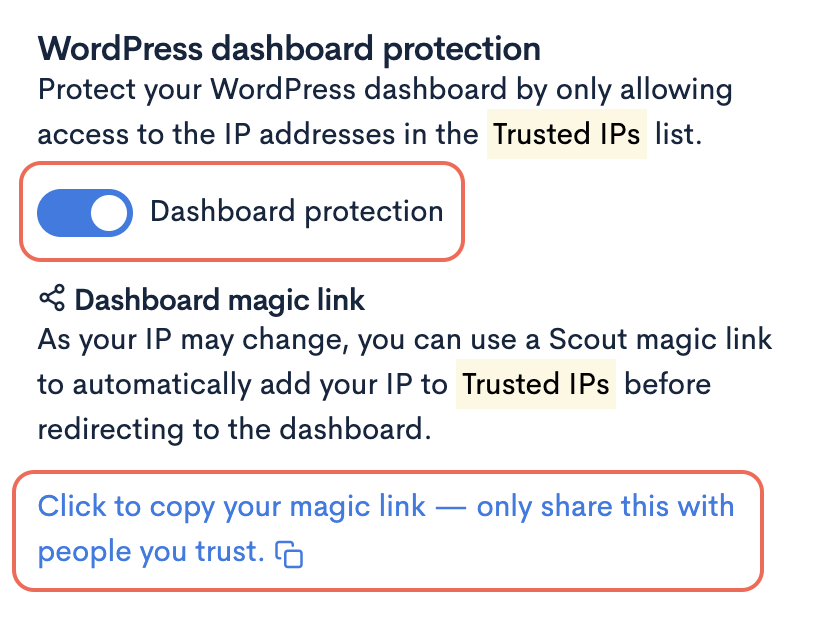
Using the access link
Opening the link gives that browser access to the dashboard for 90 days. You can bookmark it, or share it privately with a colleague or client who needs dashboard access.
Anyone with the link can get past this check, so only share it with people who need dashboard access. WordPress sign-in is still required, so the link alone doesn’t give someone full access to your dashboard.
Disabling the protection
- Open your website’s security settings in ULTRA Cloud.
- Toggle WordPress Dashboard Protection to Off.
Expiry, devices and resetting access
- Access lasts 90 days from opening the link. Opening it again renews access for another 90 days.
- Each browser or device must open the link separately.
- Clearing your browser’s cookies removes access, and private browsing access ends as soon as you close that session.
- Disabling protection removes the extra access restriction.
- Turning protection off and back on creates a new link and cancels any old ones, so you’ll need to share the new link again.
- Any IP addresses you’ve already trusted will still work as before.
Domain changes and older links
If you change your website’s domain, the access link will change too.
Copy the new link from ULTRA Cloud and open it again — access from the old domain won’t carry over automatically.
Older links you may have shared before will still work — they’ll simply take people to the current link.
Troubleshooting
If you’re blocked from the dashboard, make sure you’re opening the current Dashboard access link in the same browser you use for WordPress, and that cookies are allowed.
If access worked before but doesn’t now, your cookie may have expired or been cleared. Copy the current link from ULTRA Cloud and try again.
If the WordPress login screen appears after opening the link, that’s expected — Dashboard Protection unlocks the dashboard, but you’ll still need to log in to WordPress as normal.