Setting Up Redirects in ULTRA Cloud

ULTRA Cloud managed servers use the nginx web server which doesn’t natively support .htaccess files. However, you can easily create page and domain redirects directly from the ULTRA Cloud Panel.
How to Create a Redirect
- Log in to your ULTRA Cloud Panel
- Navigate to Sites and select the relevant domain
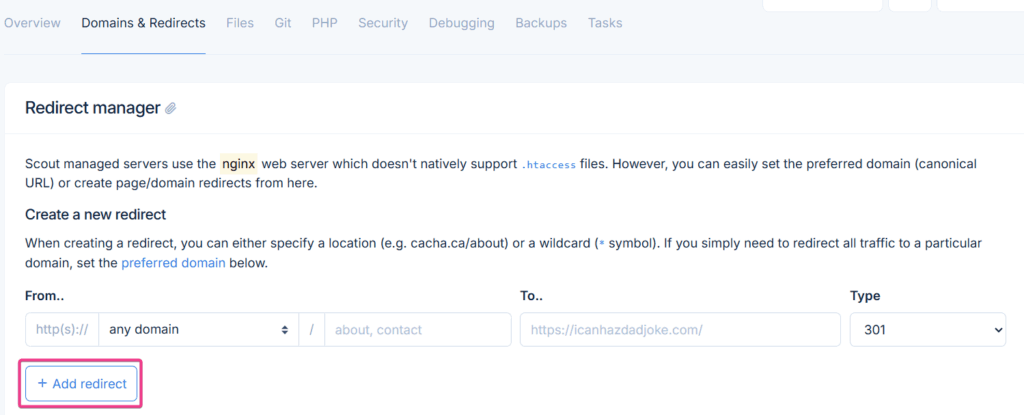
- In the site menu, go to Domains & Redirects
- Click Add redirect
- Enter your redirect source and destination:
- For a specific page, enter the location e.g.
yourdomain.com/old-page - For a catch-all, use the wildcard
*symbol to redirect all traffic to a destination
- For a specific page, enter the location e.g.
- Save the redirect
Setting a Preferred Domain
If you need to redirect all traffic to a preferred version of your domain (e.g. from yourdomain.com to www.yourdomain.com), use the Set Preferred Domain option in the same Domains & Redirects section.

If you’re still experiencing issues after trying the steps above, please contact our support team and we’ll be happy to help.