How to Reset the Primary WHM Reseller Account Password

As a reseller, your WebHost Manager (WHM) access is tied directly to the main cPanel account associated with your hosting subscription. If you need to update or reset the password for your main reseller account, you can do so either directly through your primary cPanel control panel or using WHM access.
Note: Changing the password for your primary cPanel account automatically updates the login password for your WHM reseller interface as well.
Method 1: Resetting via the Main cPanel Account
This method is ideal if you are a reseller updating your own credentials.
- Log into the main cPanel account associated with your reseller profile (typically accessible via
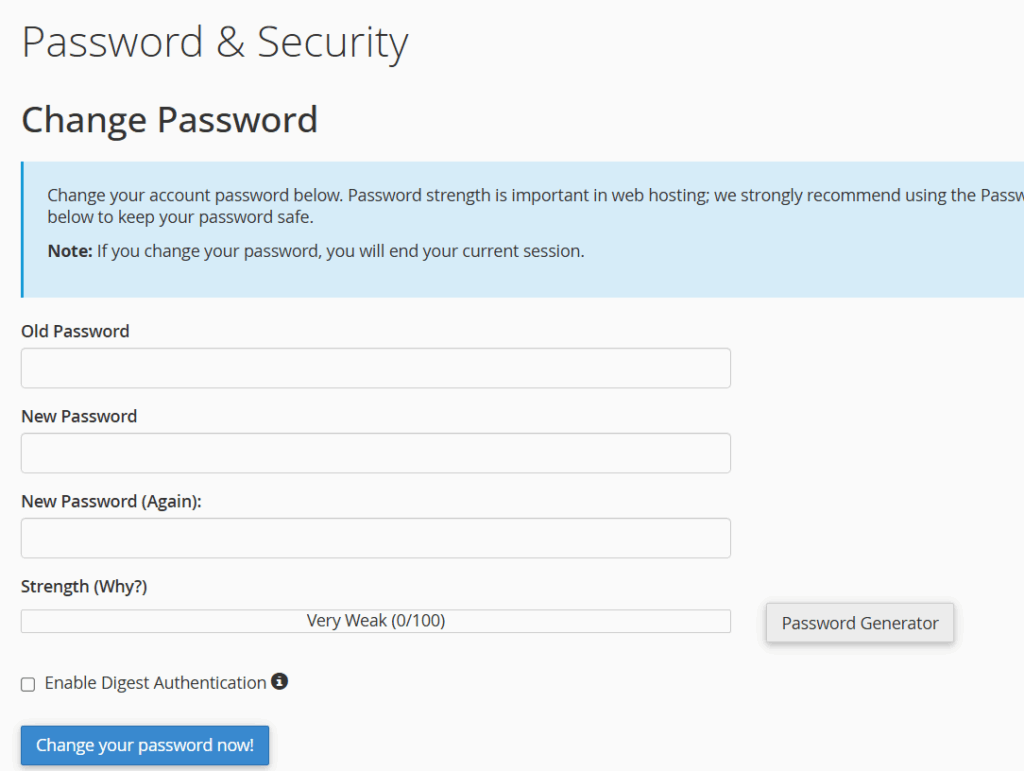
(https://yourdomain.co.uk:2083)or directly through your hosting client portal). - Scroll down to the Preferences section and click on Password & Security.
- Type your Old Password (or complete the security verification if prompted).
- Enter and confirm your New Password (or click Password Generator to create a strong, random password).
- Click Change your password now!
Once updated, your new password will apply immediately to both your primary cPanel account and your WHM reseller dashboard.
Method 2: Resetting via WHM Root Access
If you are a system administrator with root-level access to the server, you can reset any reseller’s primary password directly from WHM.
| Step | Action |
| 1. Log into WHM | Access your WHM dashboard using your root administrative credentials. |
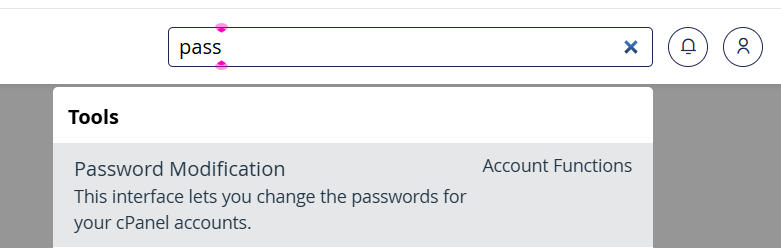
| 2. Open Password Modification | Type Password Modification into the search bar at the top-left, or navigate to Account Functions > Password Modification. |
| 3. Select the Account | Locate and click on the primary cPanel/reseller username from the account list. |
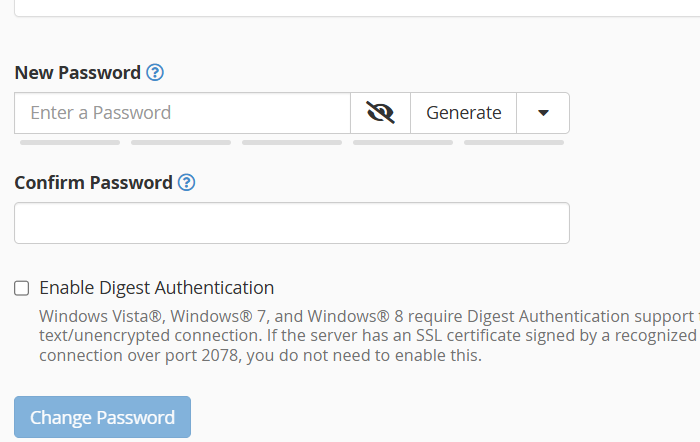
| 4. Enter New Password | Type your new password into the text box, or click Password Generator to create one. |
| 5. Save Changes | Click Change Password to update the credentials instantly. |
Troubleshooting & Important Tips
- Session Termination: Changing your account password will end active sessions, requiring you to log in again using the new credentials.
- Lost Credentials: If you do not have root access and cannot log into your primary cPanel account to reset your password, please open a support ticket so we can assist you securely.