Inviting a someone to the ULTRA Cloud Panel

If you need to invite someone to manage your sites & servers in the ULTRA Cloud Panel, they will need to be added to your Freethought customer account.
- Login to your customer account at portal.freethought.uk
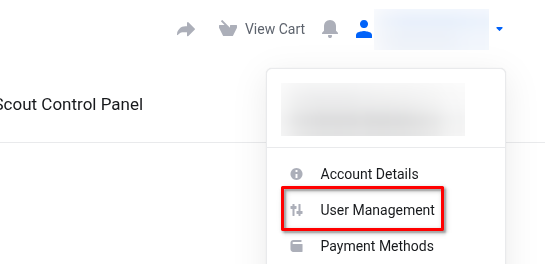
- Click your name at the top-right and go to User Management
- Click Invite New User
- Enter the person’s email address and select Choose Permissions
- Select the following permissions
- View Products & Services
- Perform Single Sign-On
- View & Open Support Tickets (optional)
- Click Send Invite
Once they have accepted the invite, they can login to the customer portal at portal.freethought.uk and click ULTRA Cloud Panel in the main menu.