How to Reissue Your SSL Certificate

Overview
Due to industry changes, SSL certificates are now issued for 199 days and may need to be reissued during their lifetime.
This guide shows you how to reissue your SSL certificate through your client area.
Step 1: Log in to your account
Login to your Freethought customer account at portal.freethought.uk and navigate to:
Services → My Services → Select your SSL certificate
Step 2: Locate the “Reissue Certificate” option
Within your SSL product page, click:
Reissue Certificate
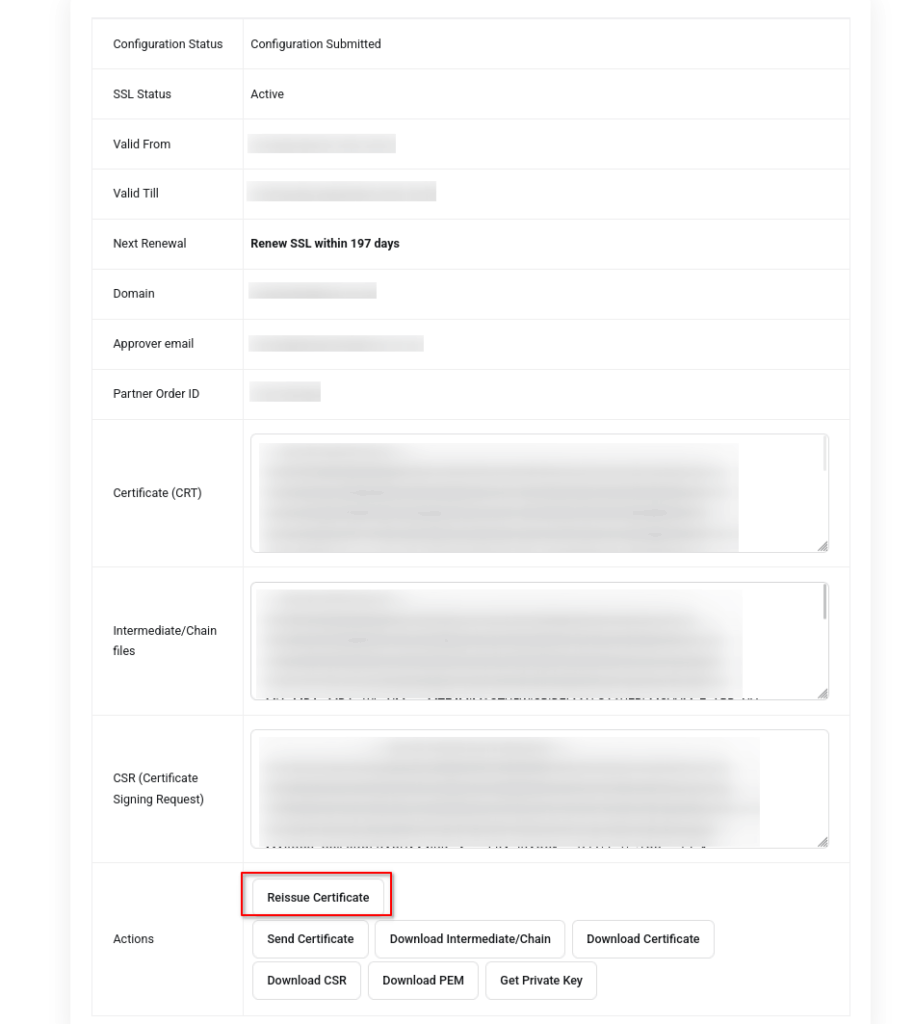
Step 3: Confirm or generate your CSR
You will be prompted to:
- use an existing CSR, or
- generate a new one
In most cases, the existing CSR will already be pre-filled.
Step 4: Complete domain validation (DCV)
Depending on your certificate type, you will need to complete validation using one of the following methods:
- Email validation
- DNS record validation
- HTTP file upload
Follow the on-screen instructions to complete this step.
Step 5: Install your certificate
Once issued, your new certificate will need to be installed.
Depending on your hosting setup:
- this may happen automatically
- or you may need to install it manually
If you’re unsure, our support team can assist.
Important Notes
- Reissuing your certificate does not extend your purchase period
- It simply ensures your SSL remains valid within the new 199-day structure
- You can reissue your certificate at any time before it expires
Need help?
If you’re unsure at any stage, just contact support and we’ll guide you through it.