Password Protecting Your Website

It’s a common request to password protect a website for many reasons.
cPanel makes this easily achievable as it has the ability to password protect any website or folder from within the Directory Privacy section.
1. Login to your cPanel account. When you first set up an account with us, you would have received an email with the details on how you can gain access to your control panel. If you have lost those details, feel free to raise a support ticket or call in.
2. Navigate to Directory Privacy.

3. Typically, most websites are within your public_html directory, however feel free to protect which ever directory you like by selecting Edit.

4. Check the tick box to enable password protection on the selected directory, then click Save to proceed.
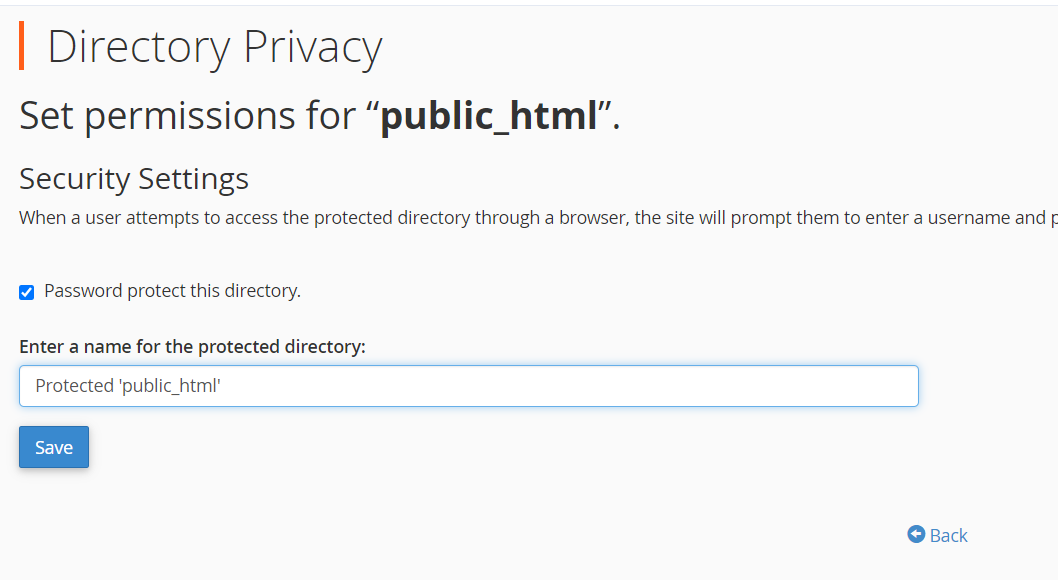
5. The final step is to choose a username and password in order to access your website now it has been password protected.
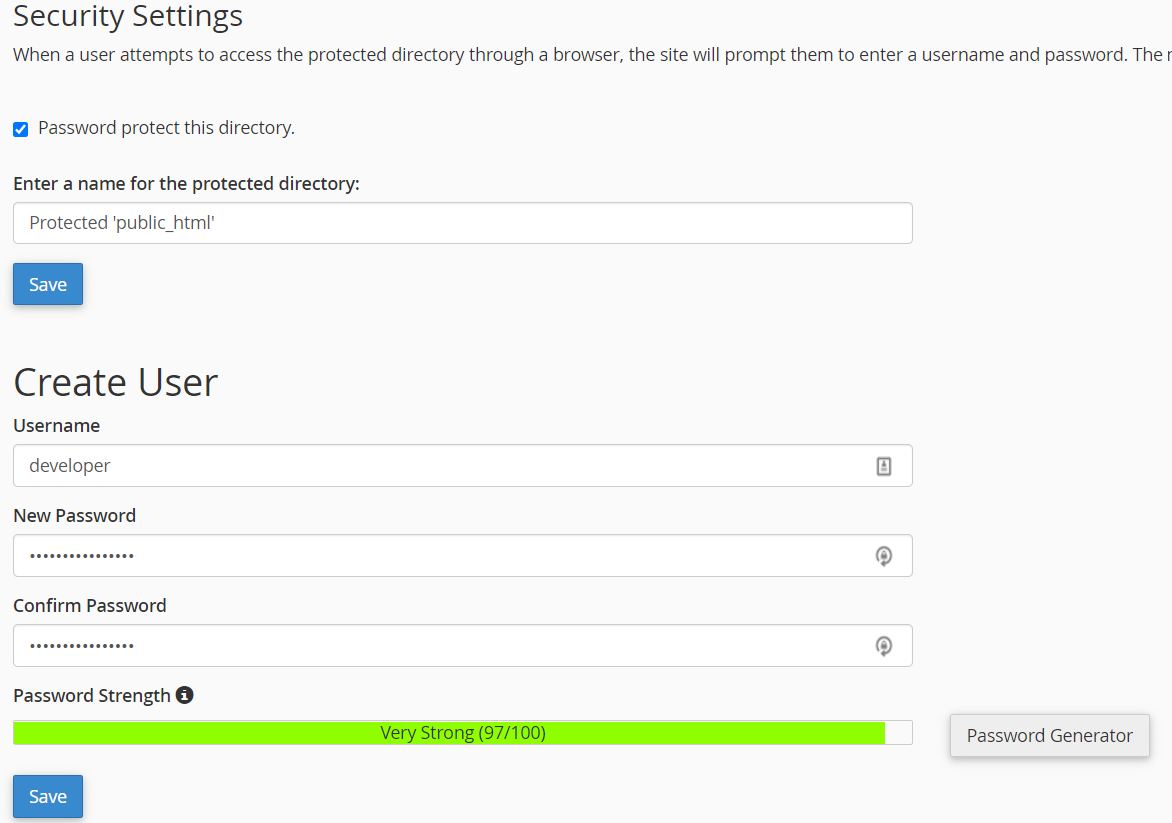
That’s it! Once you click Save your website or directory will be password protected.
If you are running into any issues or have any further questions or concerns, please don’t hesitate to get in touch.